What is ReviewPro?
ReviewPro is a world leader in «Guest Intelligence» applications for the hospitality industry. Their cloud-based tools and survey forms allow hotels to gain direct user feedback on their services. ReviewPro provides the necessary insights to increase guest satisfaction and improve rankings on review sites, travel agencies, and tour operators. It is an essential tool for modern hotel management.
WiFi.PRO + ReviewPRO
The integration of WiFi.PRO with ReviewPro allows surveys to be displayed immediately after login, linking responses directly to the user connected to the WiFi. This significantly boosts the reach and effectiveness of ReviewPro.
-
- Direct Access: Show ReviewPro forms to customers as soon as they connect.
- Real-Time Insight: Understand customer opinions as they happen.
- Better Data: Increase both the quantity and quality of guest reviews.
- Smart Targeting: Decide exactly who sees which survey.
- Real-Time Segmentation: Use filters to target specific demographics.
- Messaging: Streamline communication through automated triggers.
How to Activate It
To activate the integration, navigate to Site Configuration and locate the API Settings:
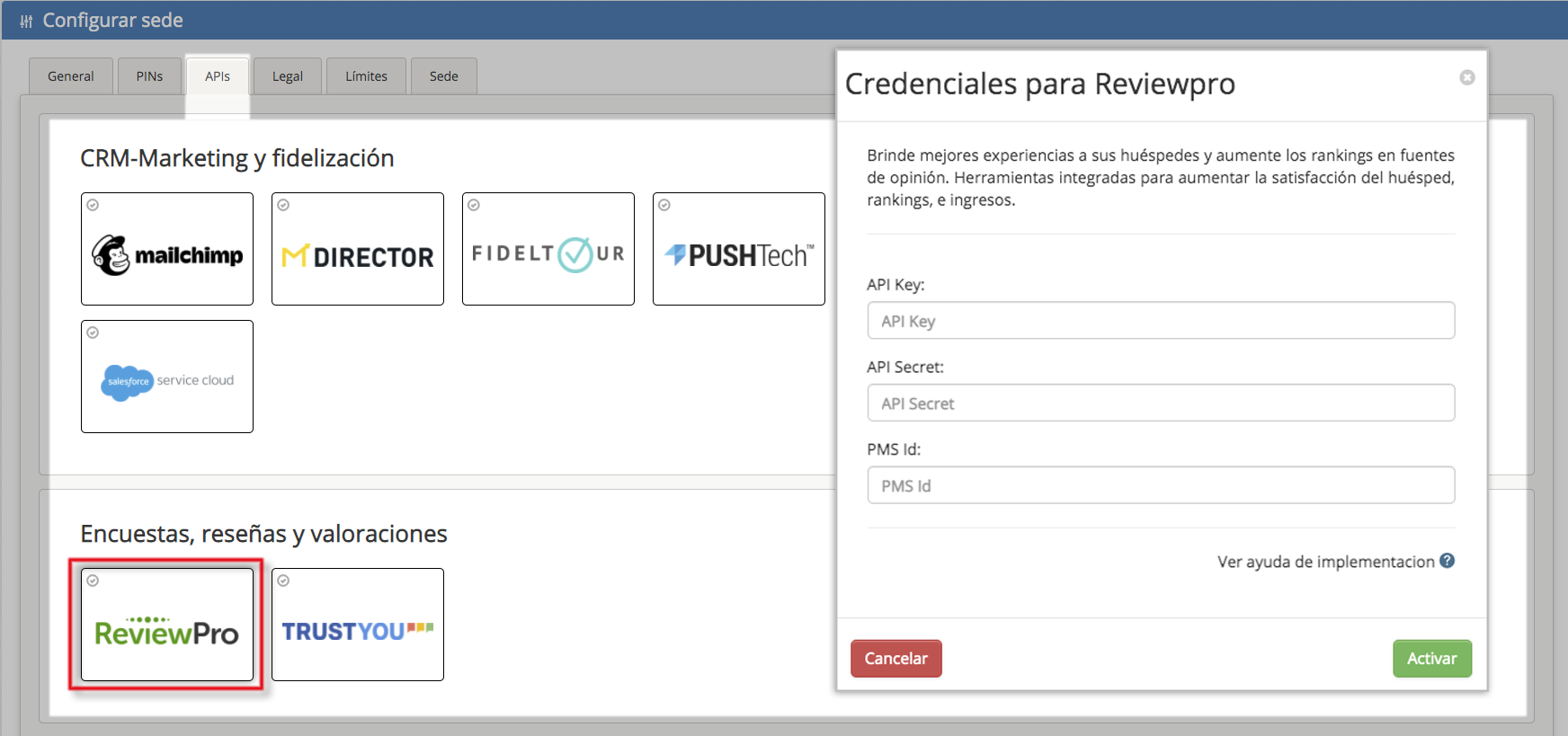
You will need an API Key and an API Secret.
These credentials must be requested from your ReviewPro campaign administrator.
How to Use It
Once the ReviewPro API is activated, there are two primary ways to display forms to WiFi users:
Via the WiFi.PRO CRM Tool
WiFi.PRO features a proprietary email management tool (activation must be requested). With the CRM module, you can schedule email campaigns for users who have consented to receive communications.
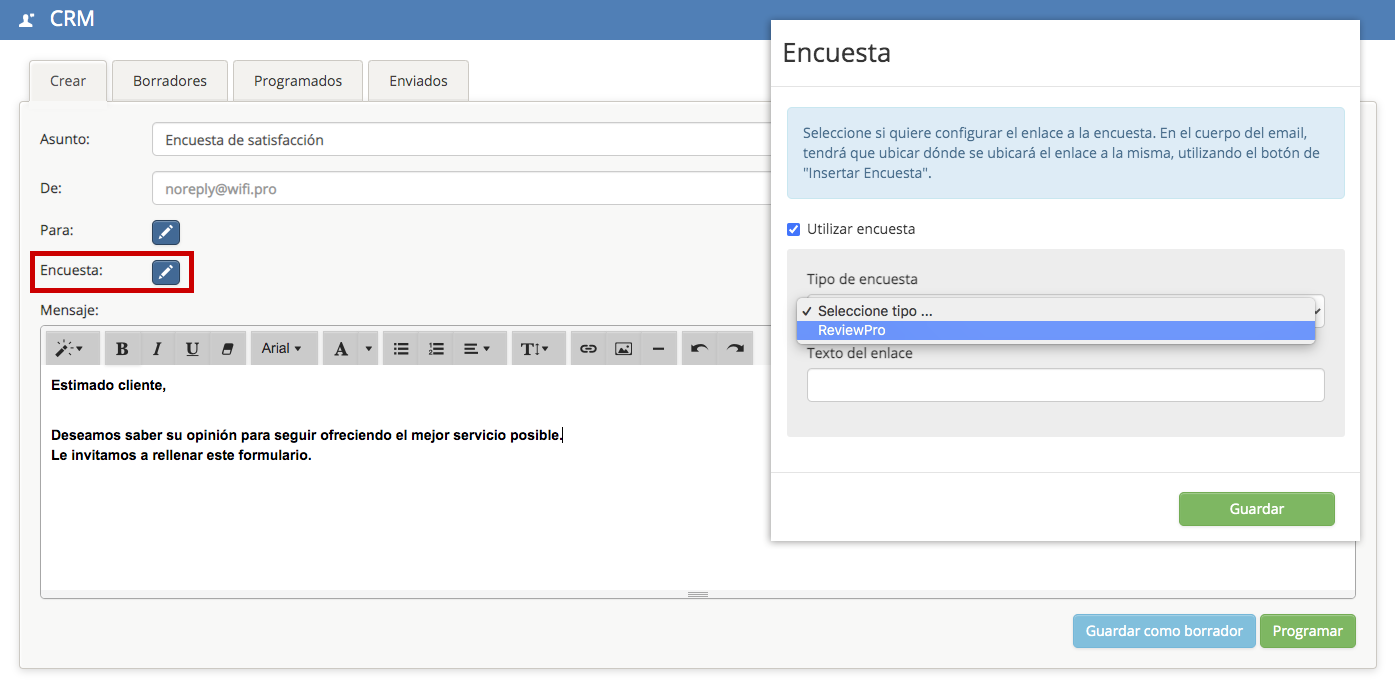
With the WiFi.PRO «CRM» tool, you can schedule email campaigns for users who connected to the WiFi and accepted the terms to receive communications.
The delivery rules allow you to define exactly when emails will be sent—for example: 24 hours after the first WiFi connection, immediately upon connecting, or even a longer period after they have already left the establishment.
Thanks to the integration with ReviewPro, it is possible to select a pre-designed ReviewPro form to be sent via email within a specific date range or under desired conditions. This option adds a link to the body of the email for the user to complete.
Additionally, room data can be automatically populated in the form if the establishment is a hotel and the integration with its PMS is also active.
Via the Captive Portal
The captive portal, or login page, can display a «welcome» page after the login process is completed. This page appears immediately after the login screen. The content displayed on this page is managed through the «welcome plugin.»
When activated, a window opens where you can select the type of content to be shown, which can be: text, an image, a link, or a form previously designed in «ReviewPro.»
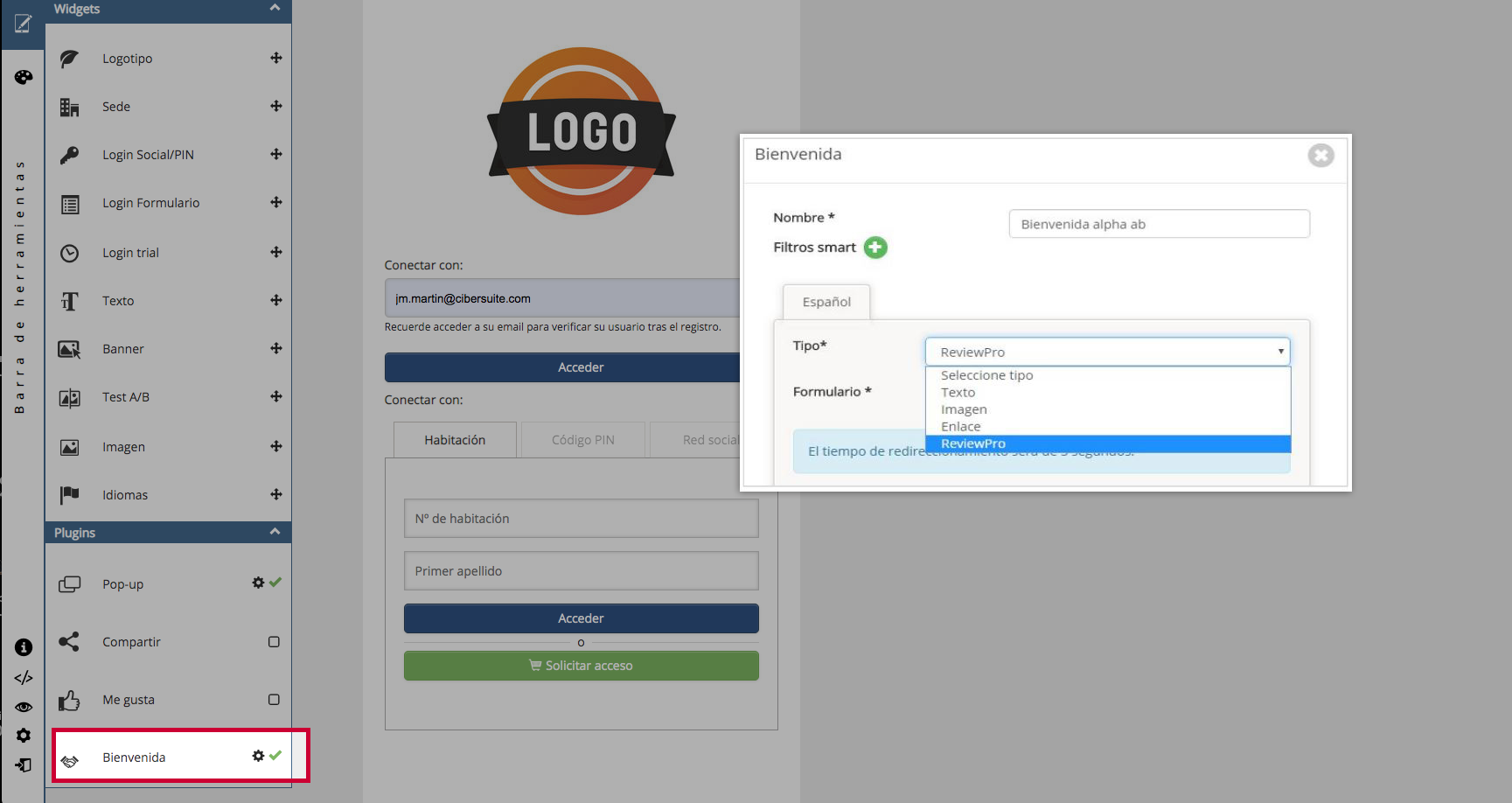
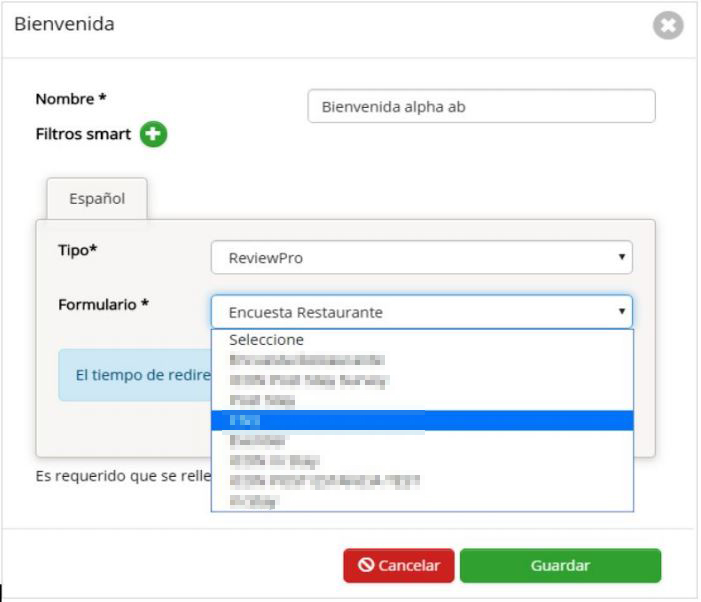
After selecting ReviewPro, a new dropdown menu appears displaying all available surveys.