
The WiFi.PRO Platform control panel provides easy access to all available tools. Depending on the user profile used to log in, different tools and features will be available.
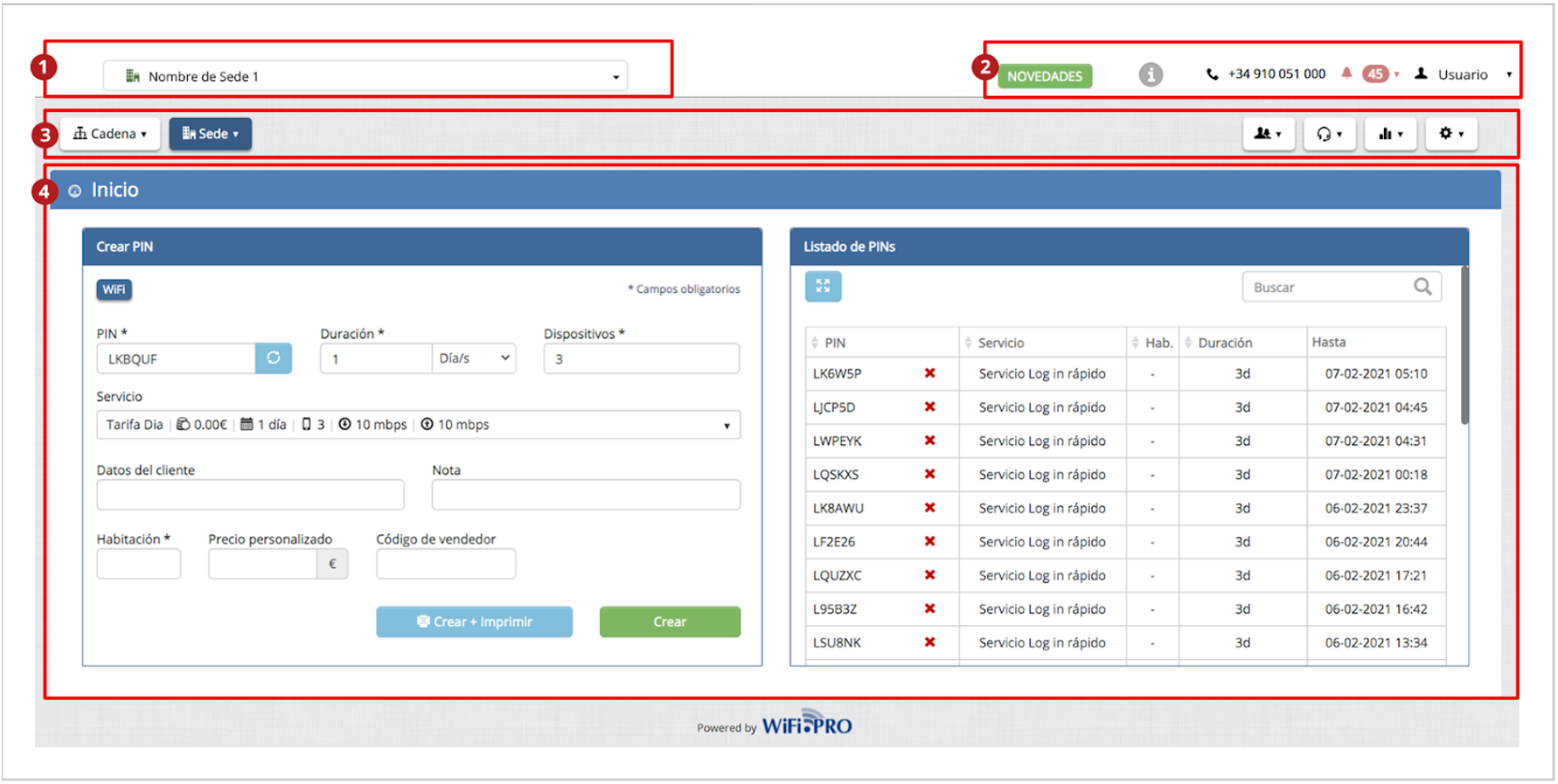
The control panel or dashboard is divided into four main areas:
 Work Environment:
Displays the list of sites and the chain they belong to. From this menu, you can select the specific site you wish to access for independent management.
 User Area:
Access to the manual,  activation of help texts, platform news, alerts, and user options.
User Options:
-
-
Edit User: Allows editing user data, including the platform access password.
-
-
-
Notifications: Configures the types of automatic notifications or alerts received when a system event occurs, such as a system outage.
-
-
-
Create Suggestion: Allows you to send ideas or suggestions to WiFi.PRO. These are evaluated by the development team for future implementation.
-
-
-
Logout: Ends the current session to log in with a different user.
-
 Main Menu:
The main menu facilitates navigation through all sections and tools. Depending on the environment, it will display different options. The environments can be:
 CHAIN Environment
 SITE Environment
 Main Area:
This is where the windows for network management, configuration, statistics, monitoring, etc., are displayed. Depending on the current environment (Chain or Site) and the option selected in the menus, it will show different content and settings.
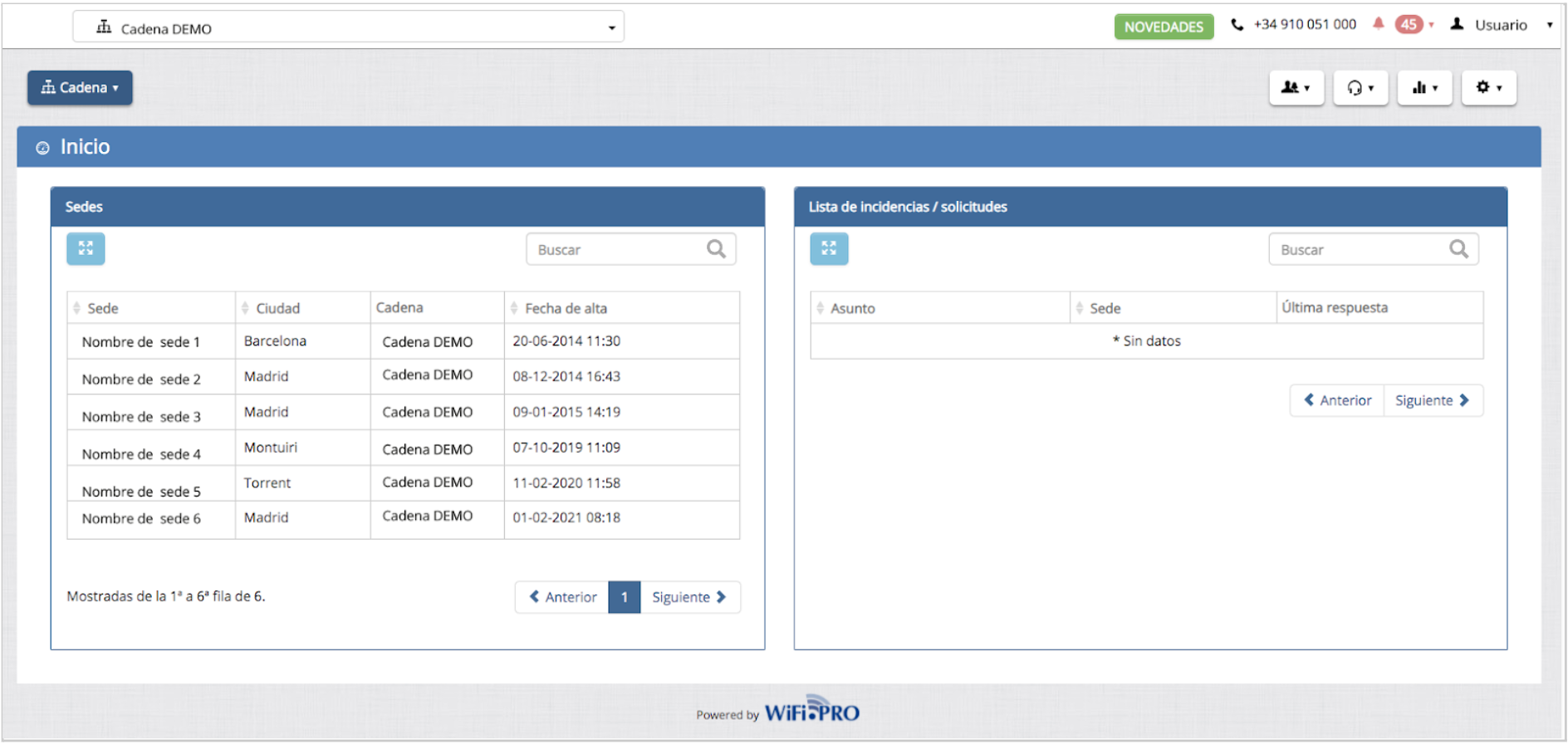 Main Menu and Main Area (Chain Environment View): Where available systems or sites are listed.
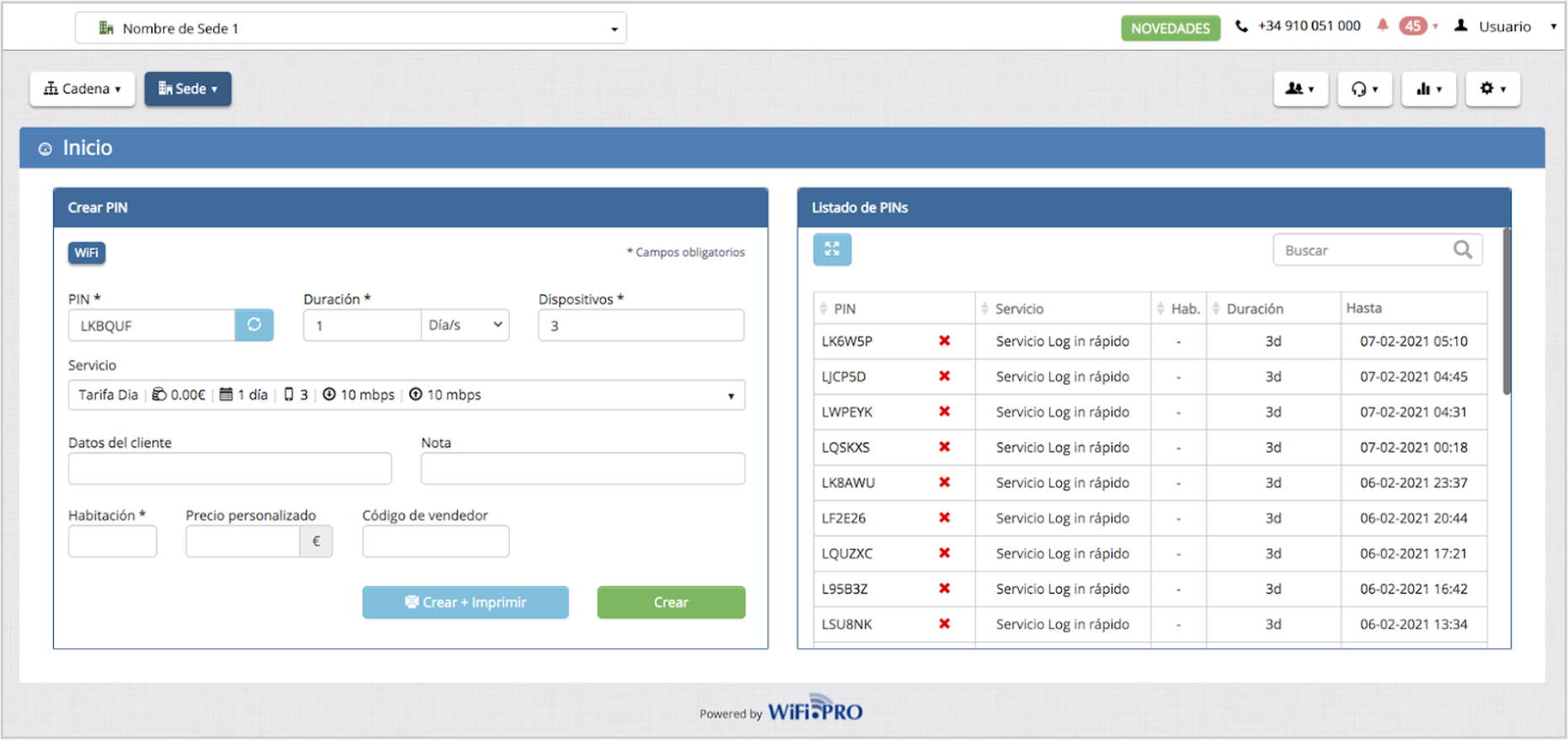 Main Menu and Main Area (Site Environment View): Main view for PIN creation.