
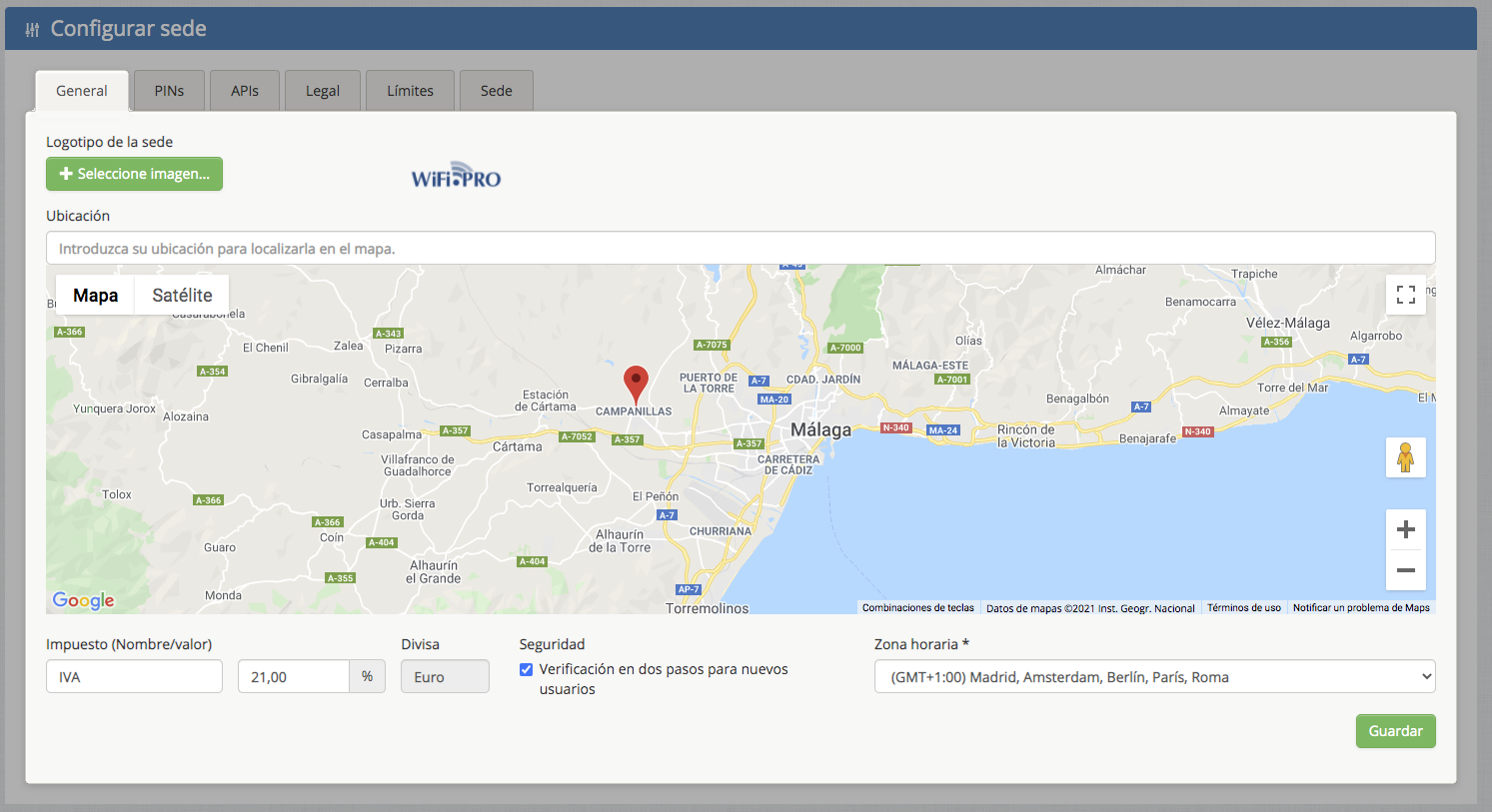
From the «Configure Site» option in the SITE dropdown menu, you can change both the logo and the address.
-
- Site Logo: This is the image that will appear on the captive portal when you drag and drop the «Logo» Widget. It is advisable to replace it with the site’s official logo or corporate image to enhance the look and feel of the captive portal.
Widget logotipo 
-
- Location: The system automatically adds the site’s address, but you may need to update or refine it. This information is for informational purposes only.
-
- Tax and Currency: Defines the tax rate to be applied if charging for WiFi usage is activated, as well as the local currency.
-
- Security: Enables or disables two-step verification for every new platform user created to manage the current site. This is done via a verification email.
-
- Time Zone: Sets the specific time zone for the site.