
CONFIGURING AN INTEGRATION:
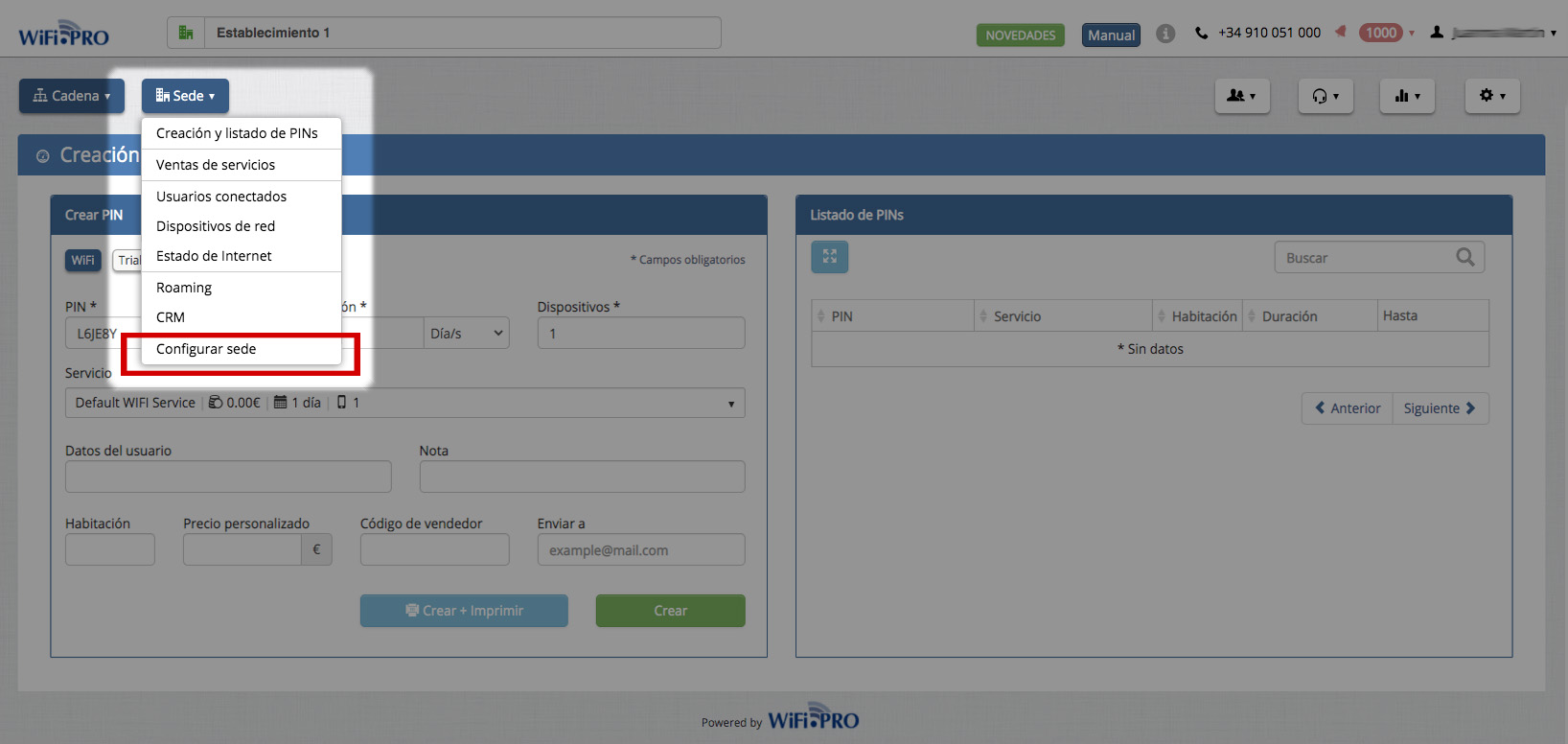 To activate an integration, select the «Configure site» option from the SITE dropdown menu.
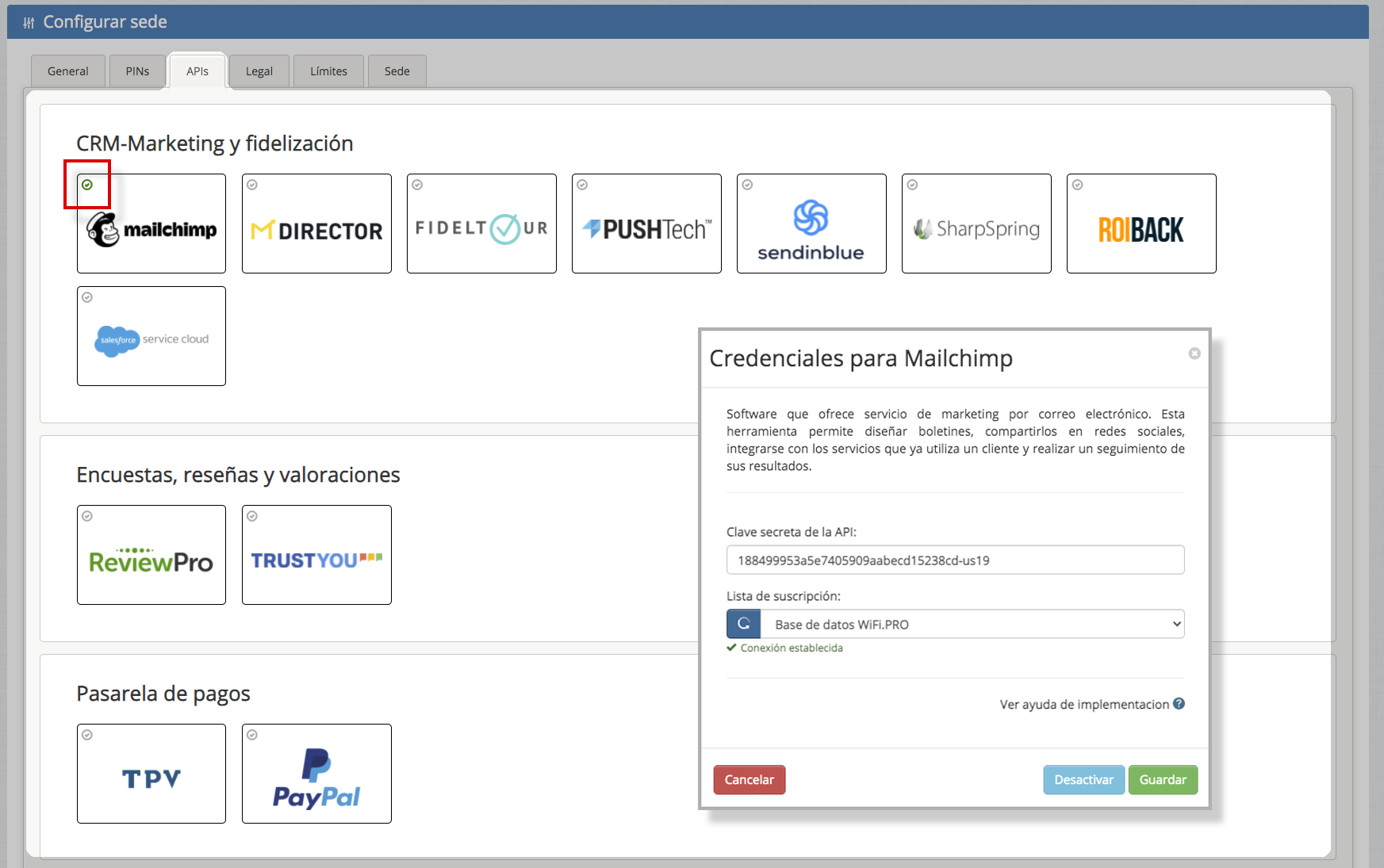
The APIS tab contains all the integrations available for that specific site. A green validation checkmark indicates that the API is correctly configured and activated.
By clicking on any of the available integrations, its specific configuration menu will open.