
The platform records all activities for later consultation. Checking the statistics generated by users who have connected is as simple as defining a date range. The recorded data is presented in graphs that can be displayed in various formats.
Statistics provide a global overview of total connections, total devices, gender, age, operating systems, login types, languages, origin, and more. The generated reports can be downloaded in different formats for further analysis, and the chart types can be easily changed.
-
- Users and Connections: Displays statistics generated from WiFi connections: number of connections, device types, operating systems, gender, age, language, and type of Login used. All information can be viewed or downloaded in various formats.

 Total Users: Total number of users who registered within the date range set in the query. Registering implies that the user has shared some type of personal data during the Login process; social login, WiFi.PRO registration, data request activation in the service, etc.
 Total Devices: Total number of devices connected within the date range set in the query. NOTE: There may be devices that connected days ago and are still connected, which would be added to the total device count for the queried date range.
 New Users: Total number of users who connected within the date range set in the query and had never connected before. A single user can connect multiple times or with more than one device, which may result in a discrepancy between the number of new devices and new users.
 New Devices: Total number of devices that connected within the date range set in the query and had never connected before.
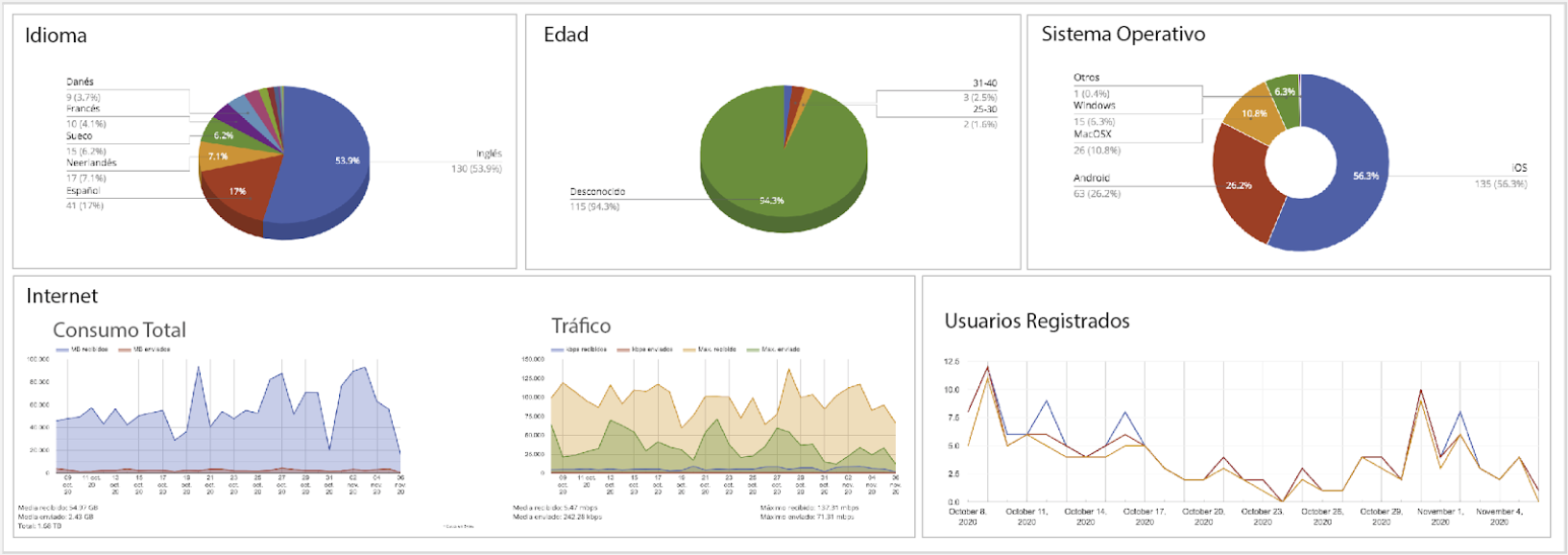
Statistics: language, age, gender, login types, device types, operating systems, country of origin, number of visits, forms, internet consumption, and more.
-
- Internet Traffic: Displays statistics and rankings regarding WiFi usage: downloads, bandwidth consumed, top users by consumption, dates, and more.
-
- Portal Banners: Displays statistical data and history for the banners shown on the Captive Portal: number of impressions and number of clicks. Segmented by language, date, and time.
-
- Forms: Displays the statistical results of the responses to the forms that can be activated on the Captive Portal.
-
-
Welcome Page: Displays statistics on the usage of the «Welcome Plugin» marketing tool.
-
The User Database enables all types of marketing and loyalty actions, allowing the data to be exported in various formats while filtering for specific fields. You can define a date range for the query. This list only includes users who agreed to share their data when connecting to the WiFi service. It can be accessed via the «Users» Menu.
NOTE: To access the databases, it is essential that your company or site adheres to the terms and conditions, defining whether it will act as the DATA CONTROLLER or DATA PROCESSOR. For more information, please refer to the Legal Aspects section
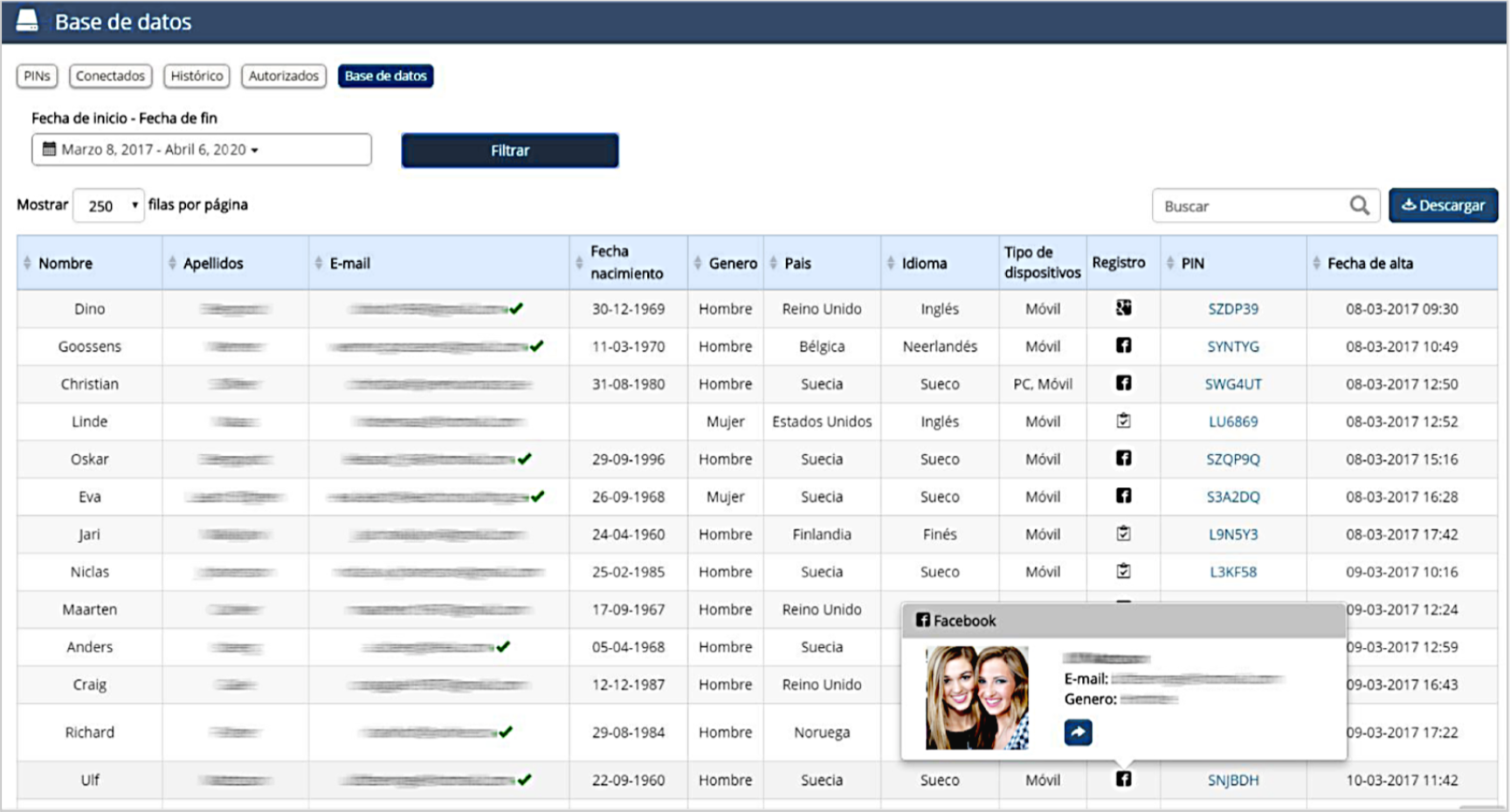 User Database List View.
The database can be downloaded in XLS or CSV format, and you can filter the fields as desired:
-
- First Name
- Last Name
- Phone Number
- Date of Birth
- Gender
- Registration Date
- Language
- Country
- Device Type
- Number of Devices
- Registration Type
- Room Number
- PIN
- MAC Address
- Registration Date
- Data Transfer Consent