
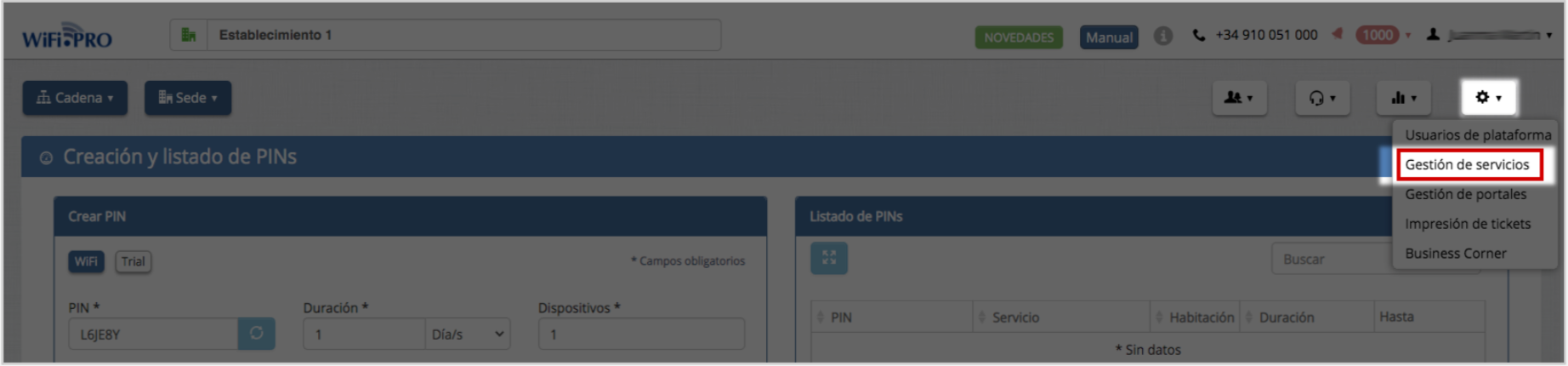
The «Service Management» section is accessed from the «TOOLS» menu.
A WiFi service is defined as the set of parameters that determine the connection modality available to the end user accessing through the Captive Portal. To access the service list from a venue-type environment, select the tools button in the menu and then the «Services». As many services as necessary can be created.
More than 30 fields that will define the WiFi service, such as: duration, number of supported devices, defining download and upload speeds, download controls… As well as conditioning the data entry of the end user. These can be optional or mandatory responses: first name, last name, email, gender, age, or telephone number.

Service List. As many as necessary can be created. The default service is activated using the yellow star.
There are three distinct areas when parameterizing a service: