-
-
- Platform Users: Allows you to create users and assign them a profile and a Site. These users can access the Platform with their credentials to manage their assigned Site. The list displays contact information, user profile, assigned site, registration date, and the last time they accessed the WiFi.PRO Platform.
-
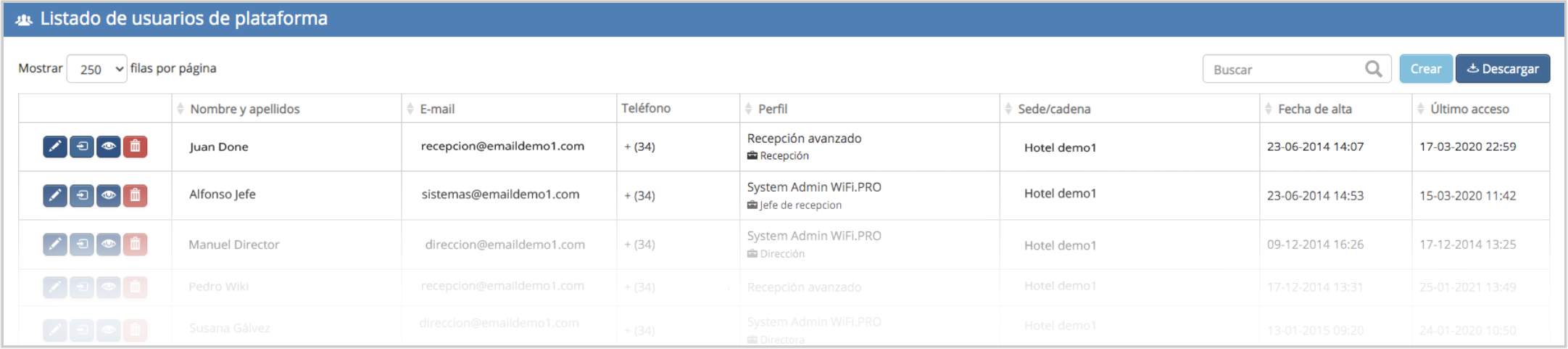 Platform User List: Create, modify, or delete them.
-
-
- Service Management: Allows you to create as many services as needed. Each service can be linked to a specific «Login» type. The parameters defining a service include: service name, duration, activation trigger, number of devices allowed to connect, consumption limits, and allowed bandwidth. It also defines the personal data that end users must provide to access the WiFi. Go to «Service Management.»
-
-
-
- Portal Management: Displays the dashboard for creating and editing captive portals. From this panel, you can designate the default portal that will be displayed to end users on their devices. There are three types of captive portals based on their features: WiFi and Form. Go to «Portal Management.»
-
-
-
- Ticket Printing: (Site environment only). Displays the panel for creating and editing the printed ticket used to provide a «PIN» access key. In addition to the key, this option allows the end user to see the configuration of the WiFi service they will receive. This functionality is highly useful when the captive portal includes a Login option via PIN or access code.
-
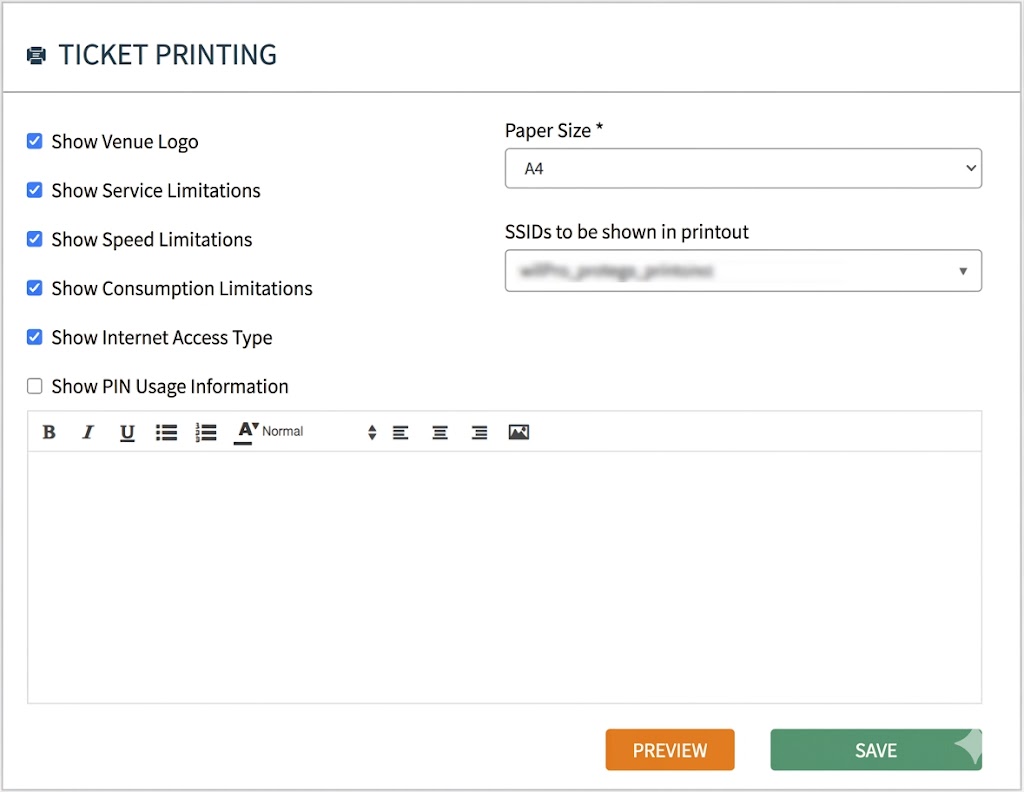
Ticket Printing Configuration
The Ticket Printing configuration window allows you to define the content of the printed paper handed to the end user, turning it into an effective communication channel.
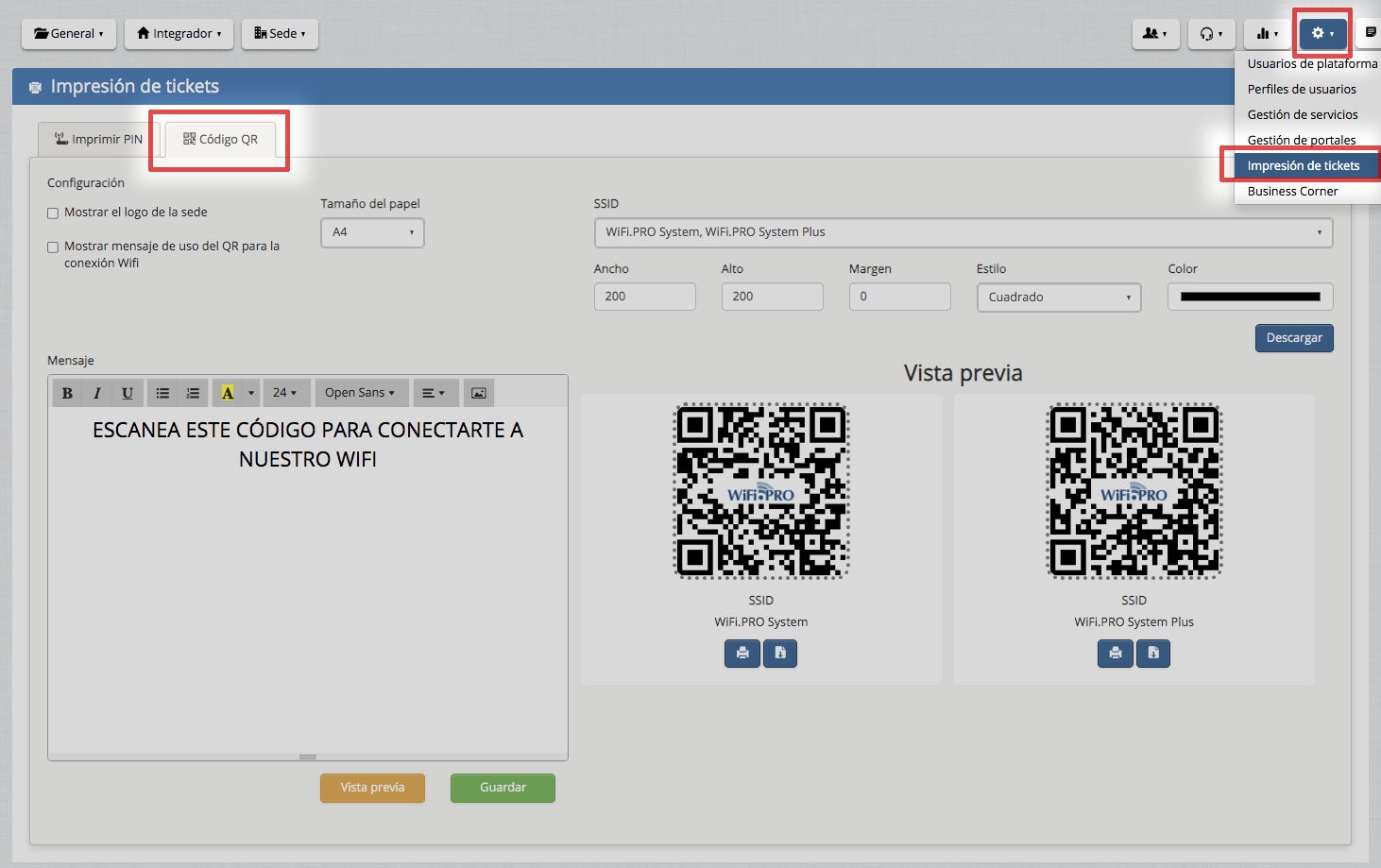
Within this same section, you will find the «QR Code» creation tool. By using QR codes, end users can easily access the WiFi service without the need to manually search for the establishment’s networks.
-
-
- Business Corner: Displays the list of computers or desktop solutions available for clients. The data shown includes MAC address, IP address, notes, device type, and status (active or inactive). You can create one or more «Business Corner» workstations and define all their parameters and service features.
-
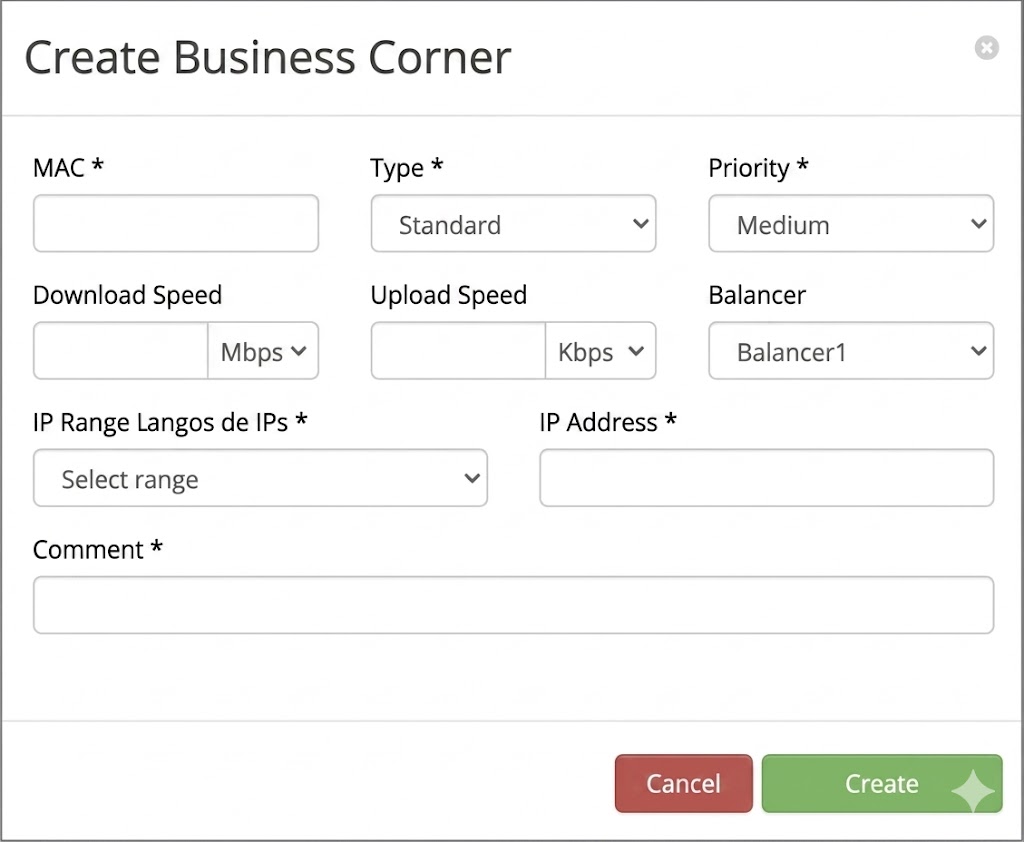 When creating a Business Corner workstation, the specific service features for that station must be defined.