
To use a WiFi service and have internet connectivity, users must accept certain terms and conditions based on current regulations. The captive portal displays the acceptance checkboxes for the terms of use and privacy policy.
By default, there are 3 checkboxes:
❏ Terms of Use *
(Must be checked to use the WiFi service)
❏ Remember Device
(Optional; not required to browse)
❏ Share Data
(Optional; not required to browse)
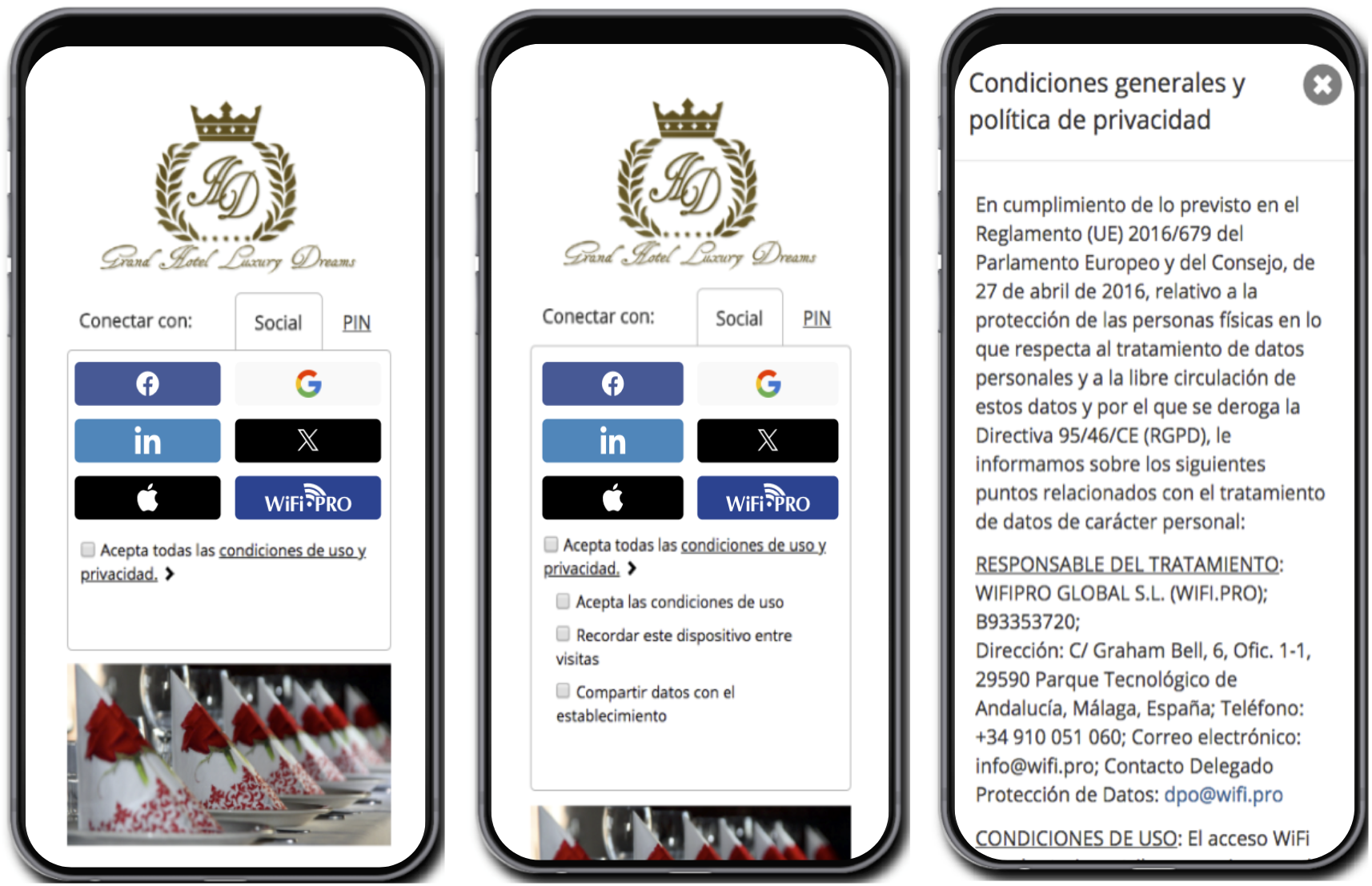
Example of collapsed Terms of Use and Privacy acceptance checkboxes. By checking «All,» all conditions are accepted.
Example of expanded Terms of Use and Privacy acceptance checkboxes.
Default legal text for legal checkboxes. Editable only upon request.
Each legal checkbox includes its own default legal text. These can only be modified by submitting a request to the support department.
The end user can review the legal texts for each checkbox directly from the captive portal before accepting the WiFi service.
Adding Legal Checkboxes:
You can add as many legal checkboxes as desired and define their specific legal text. You can also determine whether they are mandatory for browsing, their display order, multiple language options, or if they should be checked by default.
WiFi.PRO may appear as the DATA CONTROLLER by default. Therefore, it is advisable to configure your site so that your company appears in the legal texts as the DATA CONTROLLER and WiFi.PRO as the DATA PROCESSOR.
By aligning your company or site with the legal conditions, you will be able to access and consult the databases of users who connected to the WiFi service, including: first name, last name, email, date of birth, gender, language, country, etc., as seen in the expanded view of the terms of use and privacy acceptance checkboxes.
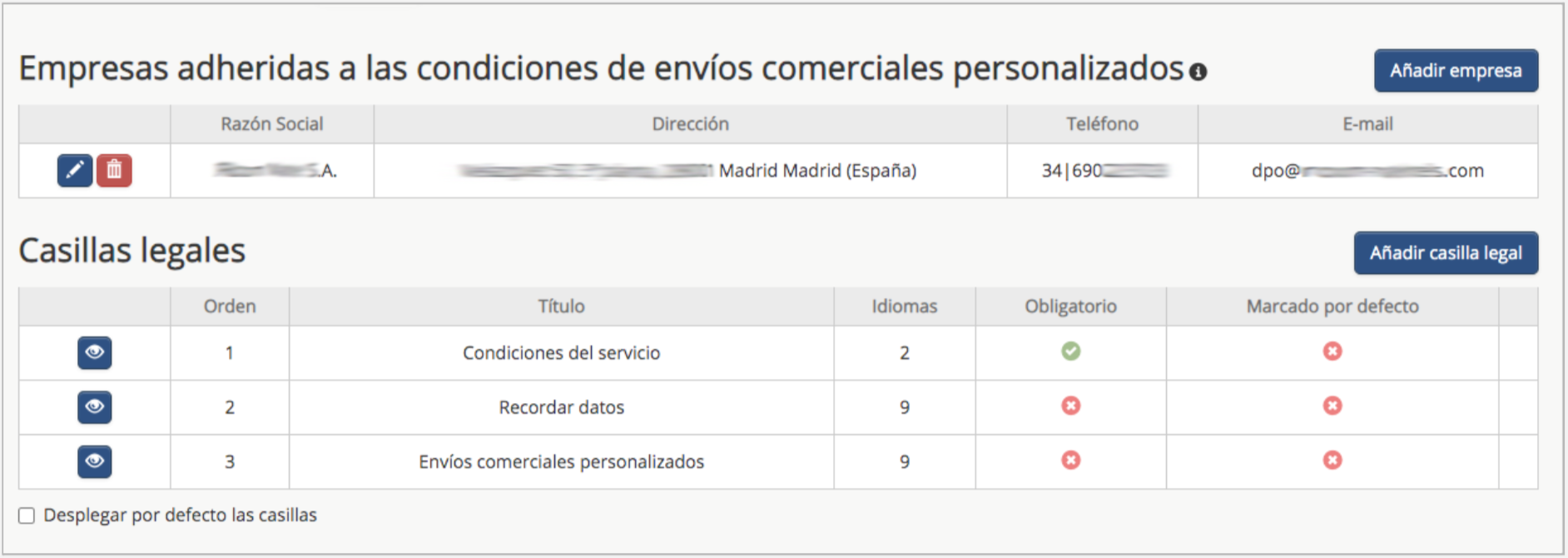 The legal management section can be accessed via: SITE / CONFIGURE SITE / LEGAL
Add Company:
You can add more than one company with access to the data. These companies can be third parties (Data Processors).
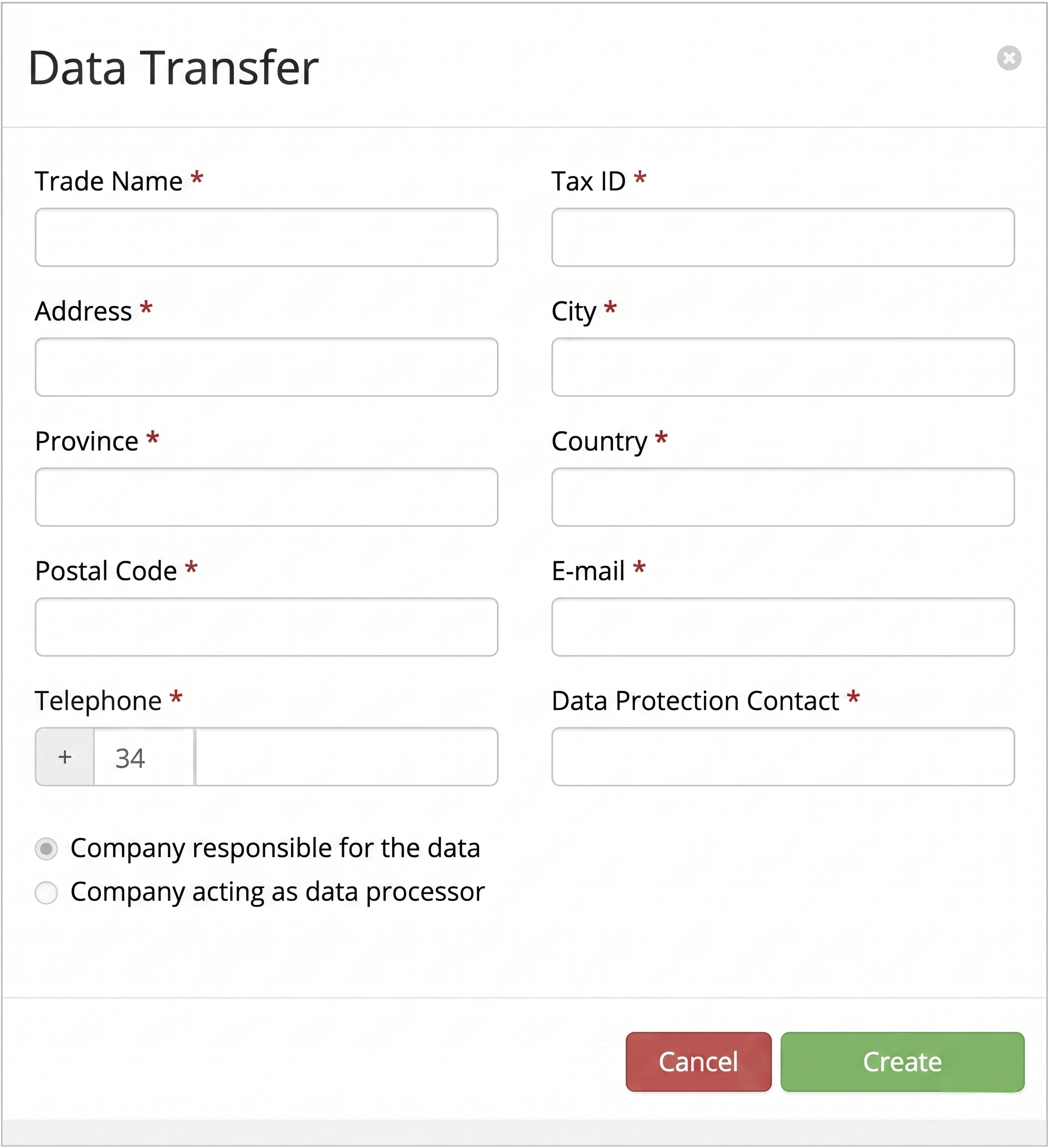 Adhering a company to the legal terms and conditions enables DATA TRANSFER and allows for the consultation of the databases.
When adhering a company to the legal terms and conditions, its details are added to the legal texts of the captive portal.
You must define whether the company will be the DATA CONTROLLERor the DATA PROCESSOR. The legal texts for the «Terms of Use» checkboxes will be automatically updated with the newly entered information.
Furthermore, from that moment on, the system begins generating databases for the users who connect to the WiFi. These databases can be consulted in the Customer Statistics section.
Adding Legal Checkboxes:
You can add as many legal checkboxes as desired and define their specific legal text. You can also determine if they are mandatory to browse, their display order, different language options, or if they are checked by default.