
Programmatic communication allows you to offer different content based on rules that can be scheduled or programmed.
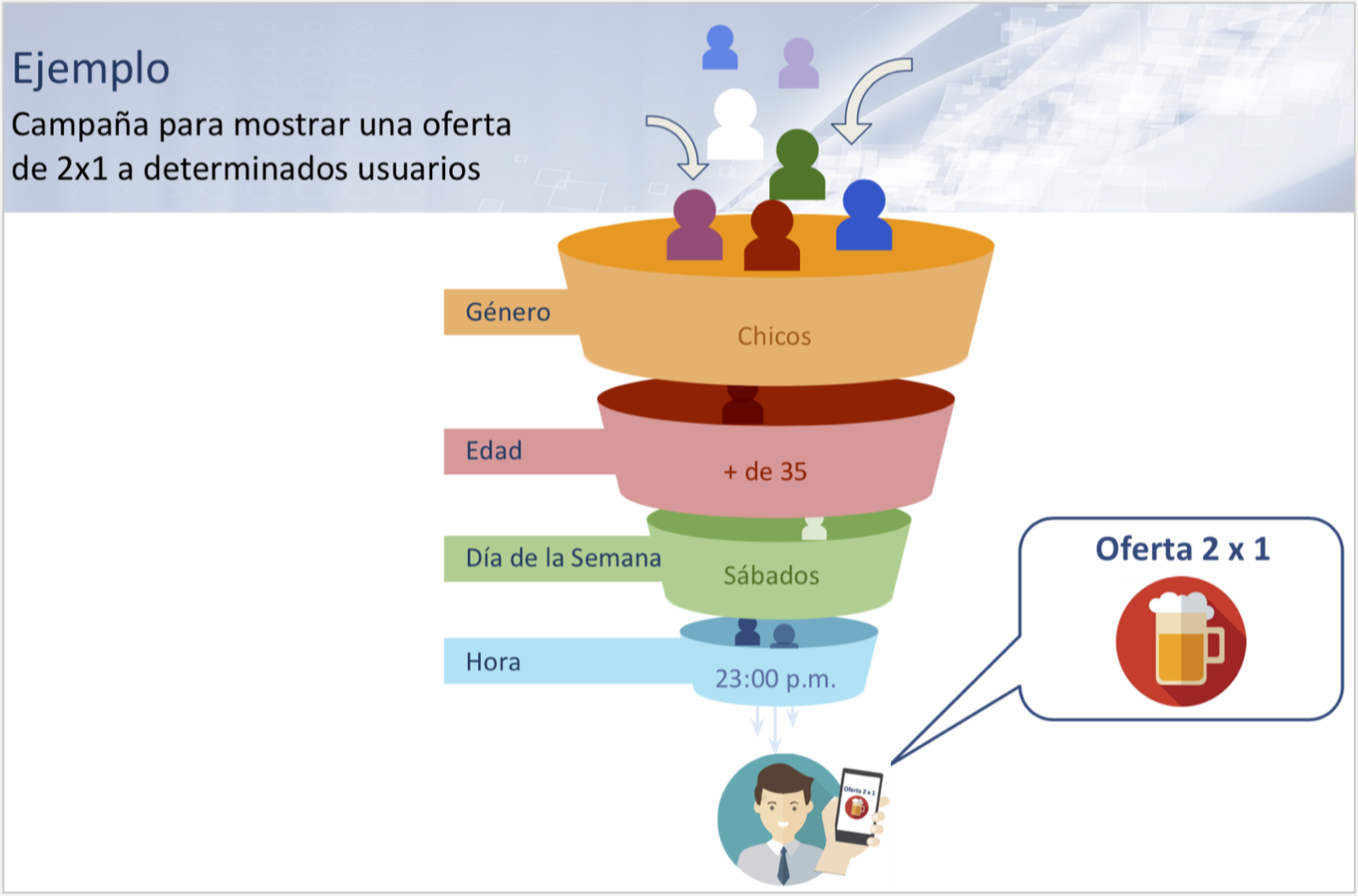
Some «widgets» and «plugins» are equipped with a configuration parameter called «Smart Filters.» Using these filters makes them intelligent, as they modify the information shown to each user based on established conditions (age, gender, language, day, number of visits, date, time, etc.); this is known as programmatic communication.
Programmatic communication allows the WiFi connection to be used to display different content depending on user profiles or specific conditions that must be met for the desired content to be shown.
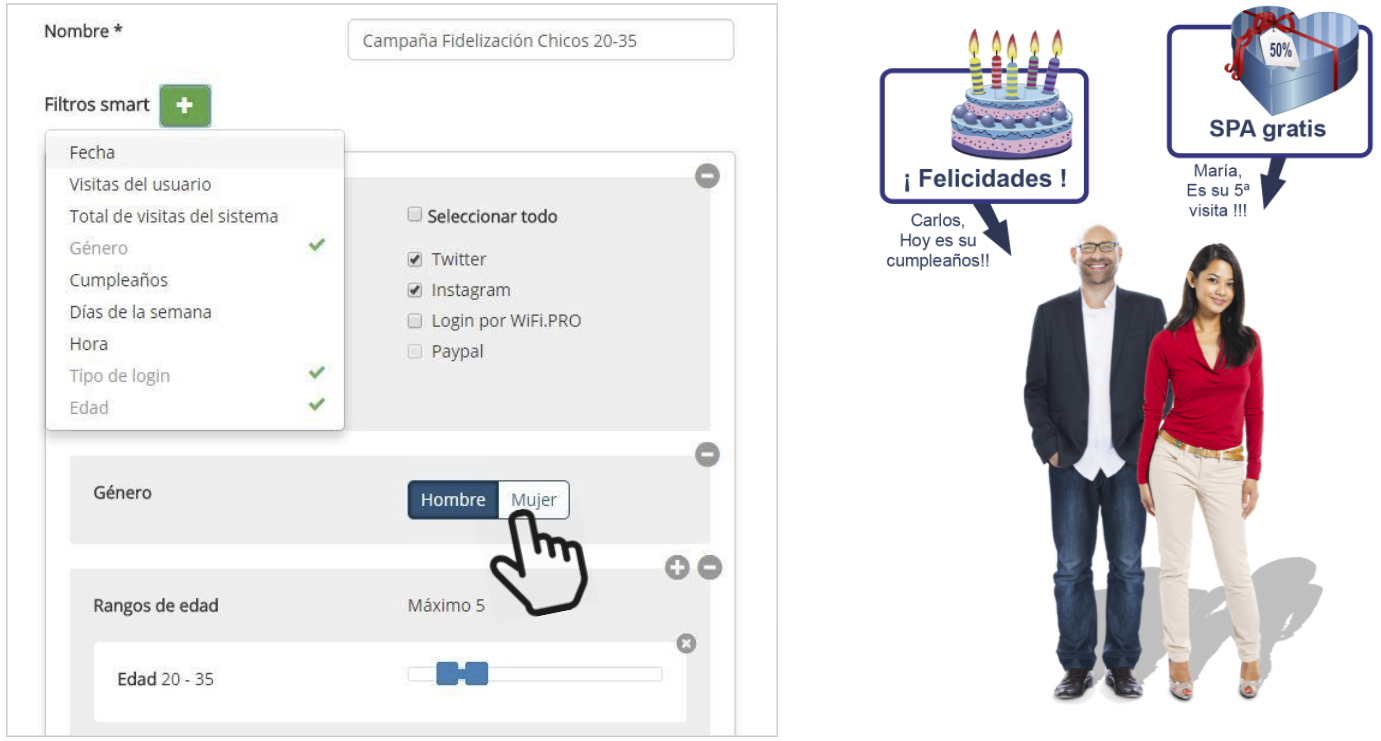
Examples:
Conditions to be met:
The user is on their third visit.
It is the end user’s birthday.
Users over 40 years of age.
Male or female gender.
Specific day of the week.
Holidays: Christmas, Valentine’s Day, etc.
Contenido a mostrar:
Mostar un regalo o voucher.
Imagen de felicitación o un regalo.
Una oferta adaptada a ese rango de edad.
Una oferta adaptada al género.
Mostrar el menú del día.
Felicitar las fiestas.
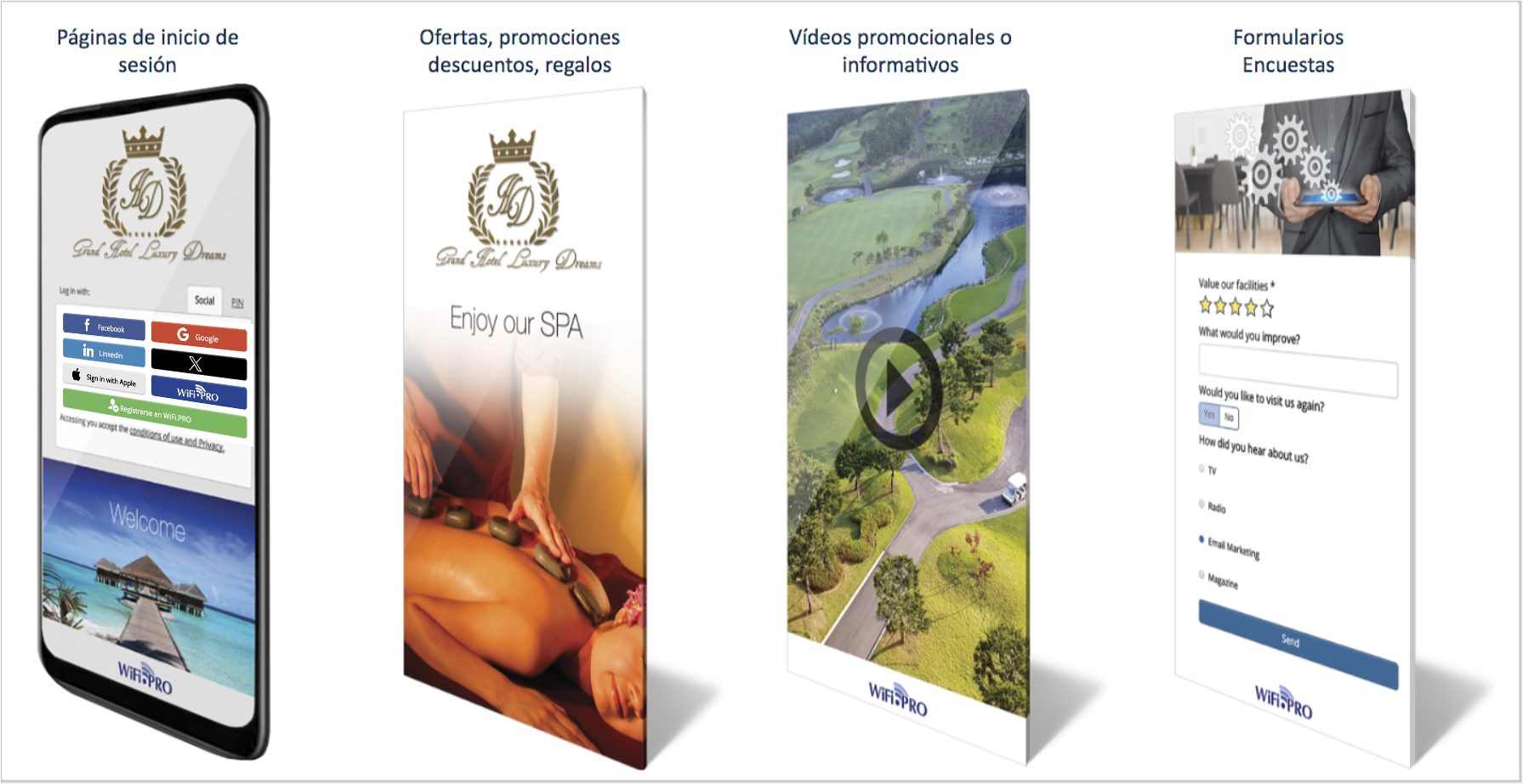 The captive portal can vary depending on the predefined conditions in the smart filters. This allows for different, personalized experiences for each user.
To add one or more filters to a specific widget or plugin, select the button  , next to the Smart Filters legend and choose as many as needed. You can then specify the parameters for each one.
The use of smart filters segments the displayed information; therefore, they should be added with caution when combining several of them. This can result in the information never being shown (if the combination of all conditions is not met) or being shown very rarely.
-
- Date: Limits a range of days during which the content will be displayed.
- User Visits: Applied to the user’s «x» visit using «Only,» «From,» or «Until.»
- Total Site Visits: Applied only to visitor number «X» since a previously established date.
- First Visitors: Applied to the first «n» users starting from a specific day.
- Gender: Applied depending on the specified gender of the user. *
- Birthday: Applied if the user has a birthday on the day they connect. *
- Day of the Week: Applied on the specific days selected.
- Time: Applied during the selected range of hours.
- Login Types: Applied depending on the type of login used to connect.
- Age: Applied to users who connect and fall within the established age range. *
* Some filters use personal data from users. The establishment must have previously adhered to the legal terms and conditions with WiFi.PRO to be able to use these filters.
If no filters are added, the widget or plugin will always be displayed. Multiple filters can be added in combination; in this case, the widget or plugin will only be shown if all conditions are met. For example: if it is Saturday, between 20:00 and 23:00, and the user is female. In this instance, the content to which the Smart Filter is applied will only be shown if all three conditions are satisfied.