
To achieve optimal results when designing your captive portal, it is advisable to keep the following concepts in mind.
Image Proportions and Measurements
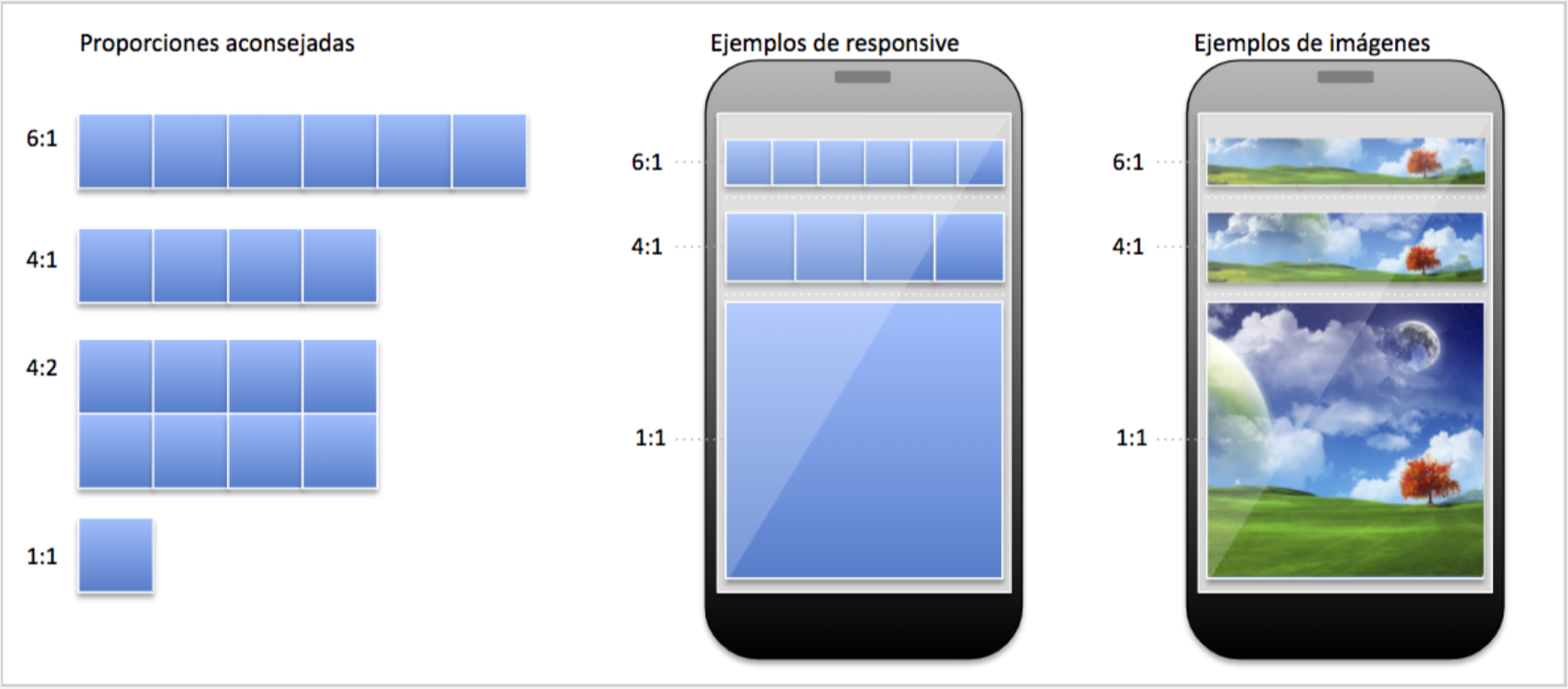
The «responsive» nature of captive portals ensures that banners and images automatically adapt to the total screen width of the devices on which they are displayed. Therefore, it is more effective to focus on proportions rather than fixed sizes.
-
- Recommended width: 1080 pixels.
- Minimum recommended width: 480 pixels.
Images larger than 1080 pixels rarely provide a noticeable increase in quality, but they do consume more memory and slow down the captive portal’s loading time.
Background Image
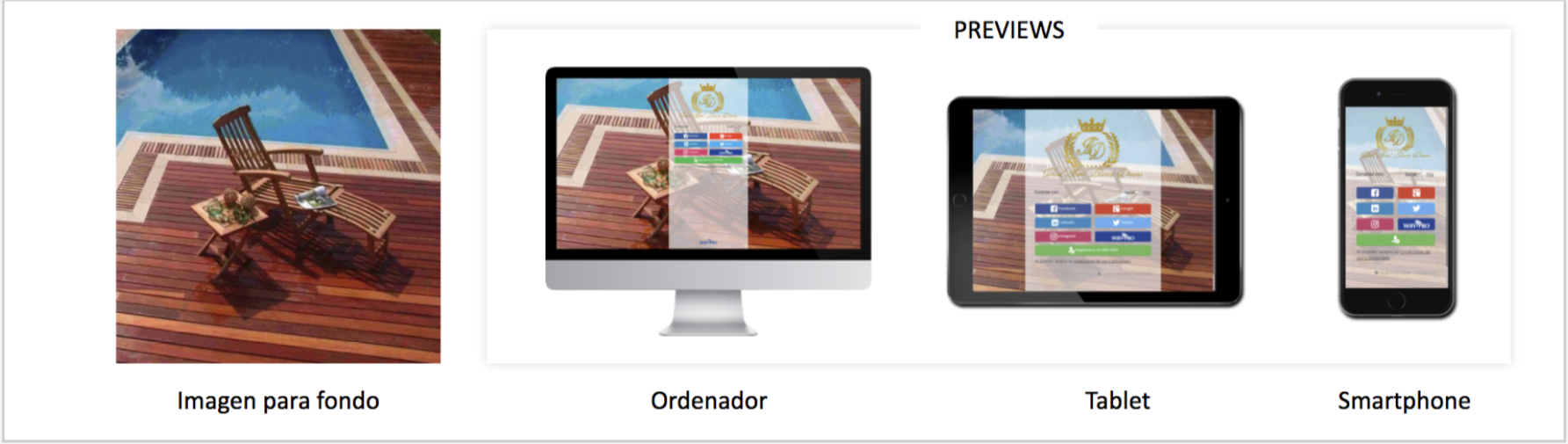
The captive portal can feature a background image that adapts to the width and height of the device being used.
File Size: It is not recommended to use an image larger than 10 MB.
Recommended Dimensions: 1920 x 1920 pixels.
Image Types
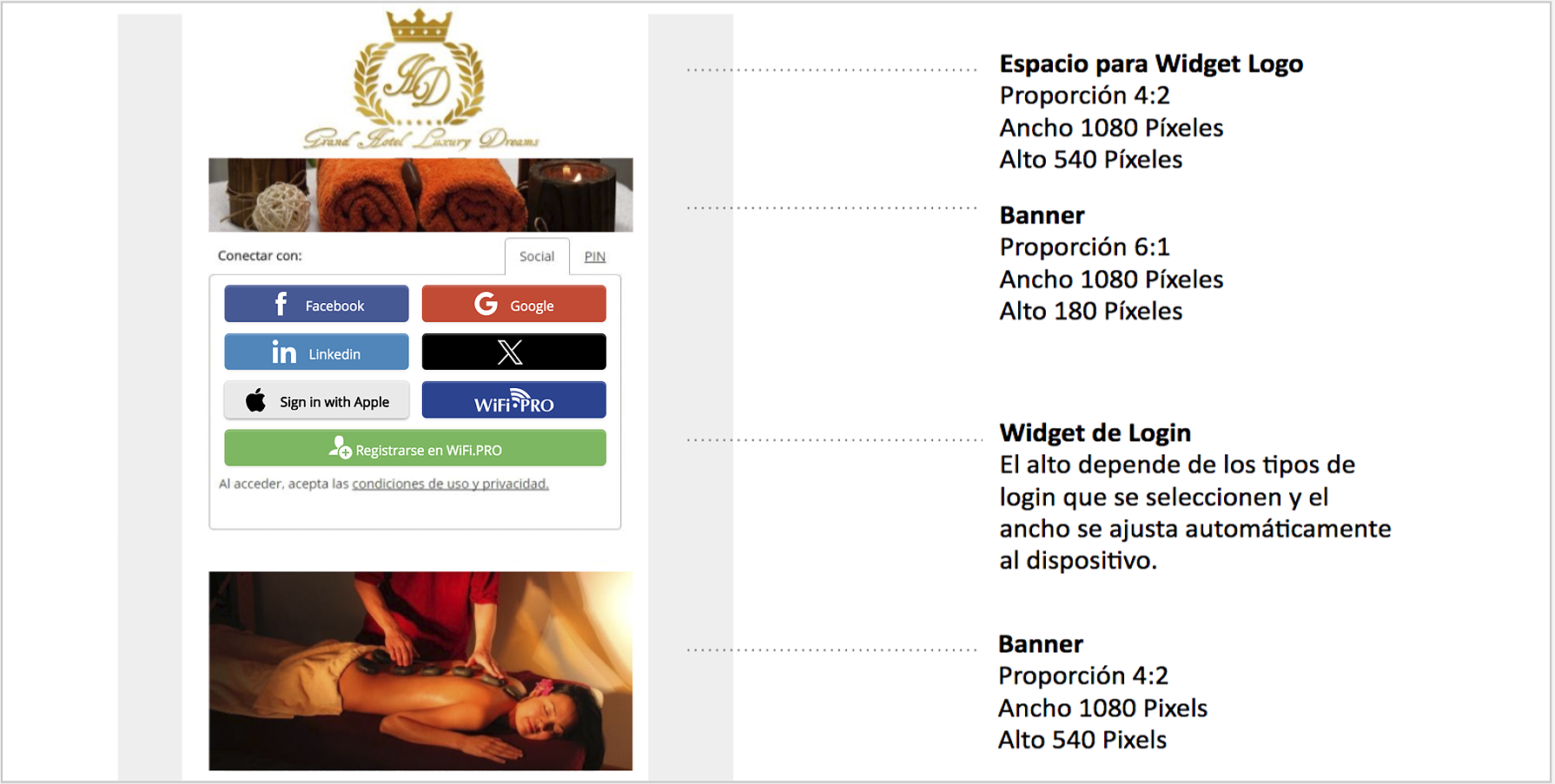
- JPG: The most common image type due to its efficient compression.
- GIF: Allows for the use of animated images.
- PNG: Supports transparency, allowing images to be displayed without a solid background.